
Download Merlin.in – AI Image & Content Generation Tool
Overview of Merlin.in – AI‑Powered Writing and Image Creation
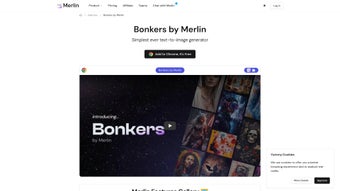
Merlin.in is a comprehensive AI assistant that brings together advanced text generation, image synthesis, and a suite of productivity‑boosting utilities into a single, browser‑based platform. Built on the latest GPT‑4 models and a proprietary text‑to‑image engine called “Bonkers by Merlin,” the service enables users to type a simple prompt and instantly receive a high‑resolution illustration that matches the description. Beyond visual content, Merlin.in offers a YouTube Summarizer that extracts key points from videos, an Article Summarizer for rapid reading, and a ChatGPT interface with live internet access, ensuring answers are always up‑to‑date.
The platform also provides free access to GPT‑4, making cutting‑edge language capabilities available without an additional subscription. Designed as a lightweight extension, Merlin.in works across Windows, macOS, Chrome, and Edge browsers, delivering a seamless experience whether you are drafting marketing copy, coding snippets, or brainstorming game concepts. While it currently lacks a dedicated mobile app, the web‑based nature ensures you can still access the tool from any device with a modern browser.
Overall, Merlin.in positions itself as an all‑in‑one creative hub that saves time, reduces the need for multiple standalone apps, and encourages instant experimentation with both words and visuals.
Core Features That Set Merlin.in Apart
- Bonkers by Merlin – Text‑to‑Image Generator: Generate photorealistic or stylized images from natural‑language prompts in seconds.
- YouTube Summarizer: Paste any video URL and receive a concise bullet‑point summary of the main ideas.
- ChatGPT with Live Internet Access: Get answers backed by the latest web data, perfect for research and fact‑checking.
- Article Summarizer: Upload or paste long articles and instantly obtain a clear, short synopsis.
- Free GPT‑4 Access: Leverage the most powerful language model without extra cost, enabling sophisticated content creation.
- Browser Extension: One‑click activation from Chrome or Edge, keeping Merlin.in always within reach.
- Code Assistant: Generate, debug, and explain code snippets across multiple programming languages.
- Gaming Prompt Engine: Create character bios, plot outlines, or entire quest narratives for tabletop and video games.
- Instant Support: Live chat and knowledge‑base resources to resolve issues quickly.
Each feature is tightly integrated into a single interface, meaning you never need to switch tabs or open separate programs. For instance, after generating an image with Bonkers, you can immediately ask the ChatGPT pane to write a product description that references the visual, streamlining the workflow for marketers and designers alike. The YouTube and Article Summarizers cut down research time dramatically, allowing busy professionals to stay informed without scrolling through lengthy content. Moreover, the code assistant not only writes code but also explains logic in plain English, making it a valuable tutor for both beginners and seasoned developers. By combining visual AI, language models, and productivity tools under one roof, Merlin.in offers a unique value proposition that differentiates it from fragmented alternatives.
Installation, Compatibility, and First‑Time Usage
Step‑by‑Step Installation
Getting started with Merlin.in is intentionally straightforward. Follow these steps to have the tool up and running in under five minutes:
- Visit the official website merlin.in and click the “Add to Chrome” or “Add to Edge” button, depending on your preferred browser.
- Confirm the extension installation when prompted by the browser’s extension manager.
- Once installed, a small Merlin icon will appear in the toolbar. Click it to open the sidebar interface.
- Log in with your Google, Microsoft, or email credentials. The first login creates a free account that grants immediate access to GPT‑4 and the Bonkers image engine.
- Navigate through the onboarding tutorial, which walks you through each module (Chat, Image, Summarizer, etc.).
Supported Operating Systems
Merlin.in’s browser extension is compatible with the following desktop operating systems:
- Windows 10 and later
- macOS Catalina (10.15) and later
- Linux distributions that support Chrome or Edge (e.g., Ubuntu, Fedora)
Because the application runs entirely in the browser, there is no need for additional installations, drivers, or runtime environments. Users on tablets or smartphones can still access Merlin.in through any modern mobile browser, although the full feature set (especially the image generator) works best on a desktop environment with a stable internet connection.
First‑Time Usage Tips
After logging in, you’ll see a dashboard with four primary tabs: Chat, Image, Summarizer, and Code. Here’s how to make the most of each on your first day:
- Chat: Type “Explain the impact of AI on remote work” to test the live‑internet feature. Notice the citation links at the bottom of the response.
- Image (Bonkers): Enter a prompt like “a futuristic cityscape at sunset, neon lights, ultra‑realistic” and watch the AI render an image within seconds.
- Summarizer: Paste a YouTube URL such as a TED Talk and click “Summarize” to receive a bullet‑point overview in less than a minute.
- Code: Ask the assistant to “write a Python function that parses JSON and handles errors” and review the generated snippet along with a plain‑English explanation.
All generated content can be downloaded directly from the interface, saved to your cloud storage, or copied to the clipboard for immediate use in other applications.
Pros, Cons, and Frequently Asked Questions
Pros
- All‑in‑one AI platform eliminates the need for multiple subscriptions.
- Free access to GPT‑4 provides cutting‑edge language capabilities without extra cost.
- Bonkers text‑to‑image generator produces high‑quality visuals instantly.
- Live internet integration keeps answers current and fact‑checked.
- Lightweight browser extension works on major desktop OSes.
Cons
- No dedicated native mobile app; mobile experience is limited to the browser.
- Image customization options (e.g., resolution control, style presets) are currently basic.
- Free tier imposes daily usage caps on image generation.
- Advanced features like bulk summarization require a paid upgrade.
- Performance depends heavily on a stable internet connection.
Frequently Asked Questions
Is Merlin.in really free to use?
Yes, the core features—including ChatGPT with GPT‑4, the Bonkers image generator (with daily limits), and both summarizers—are available for free. A premium plan unlocks higher usage caps and additional customization options.
Can I export generated images in vector format?
Currently Merlin.in exports images as PNG or JPEG. Vector export (SVG) is on the product roadmap but not yet supported.
How secure is my data when using the browser extension?
Merlin.in uses end‑to‑end encryption for all data transmitted between your browser and its servers. No personal data is stored without consent, and the extension follows the Chrome Web Store security policies.
Does Merlin.in work on Linux?
Yes. As long as you have Chrome or Edge installed on your Linux distribution, the extension functions the same as on Windows or macOS.
Can I integrate Merlin.in with other productivity tools?
Merlin.in offers webhook support and a public API (available for premium users) that lets you connect the AI capabilities to platforms like Notion, Slack, or Zapier.
Merlin.in delivers an impressive blend of language and visual AI, making it a strong contender for anyone seeking a versatile creative assistant. The free tier is generous, and the browser‑based approach eliminates installation headaches. While a native mobile app would broaden its appeal, the current feature set already covers most professional and hobbyist needs.
Final Verdict & Call to Action
In a market crowded with single‑purpose AI tools, Merlin.in stands out by unifying text generation, image synthesis, summarization, and code assistance under a single, easy‑to‑install browser extension. Its free access to GPT‑4 and the intuitive Bonkers image engine provide immediate value for marketers, writers, developers, and educators alike. Though the lack of a dedicated mobile app and some advanced image controls are noticeable gaps, the platform’s roadmap suggests these issues will be addressed in upcoming releases. If you’re looking for a cost‑effective, secure, and constantly updated AI companion that can handle everything from drafting blog posts to creating eye‑catching visuals, Merlin.in is well worth a try.
Ready to boost your productivity? Download Merlin.in now and start generating content instantly. Join the growing community of creators who have already streamlined their workflow with this powerful, all‑in‑one AI solution.



.png)



